 Apparel
 Auto, Home & Tools
 Bags
Bags Business & Office Products
 Drinkware
 Food & Candy
 Outdoor & Leisure
 Stationery
 Technology
 Toys & Novelties
 Wellness and Safety
 Writing
 Bookmarks
 Booklets
 Brochures
 Business Cards
 Custom Calendars
 Door Hangers
 Envelopes
 Event Tickets
 Flyers
 Greeting Cards
 Hang Tags
 Invitation Cards
 Labels
 Letterheads
 Magnets
 Menus
Menus NCR Forms
 Postcards
 Presentation Folders
 Rack Cards
 Sales Sheets
 Stickers
 Trading Cards
 Table Tents
 Banners
 Canvas
 Decals
 Event Tents
 Flags
Flags Posters
 Reflective Signs
 Signs
Signs Table Covers
 Tension Fabric Displays
 Trade Show Booths



11 Items To Check While Choosing Your Own Banner Design
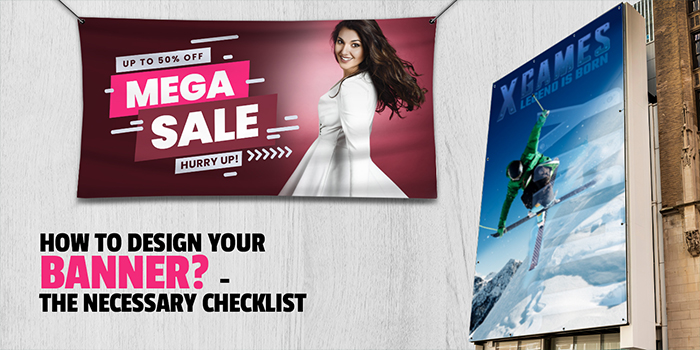
Banners are an effective and necessary part of every company’s large format print marketing materials. They are reused in several situations and events and are printed keeping in mind that they will last long. Choosing your banner design can be tough! Well, we are here with a guide that should help you while creating your own banner that does justice to your promotions.
Whether you are printing Banners for indoor use at the store, factory, or office, printing outdoor Banners for events, conventions, trade shows, and fairs, Banner Printing is needed across every industry!
Create Your Own Banner the right way as it plays a big part in making sure the concept works for its intended purpose. Making a Custom Creative Banner Design is straightforward as long as you know what your marketing message is. Used to attract the attention of passersby, they need to be created in a way that prospects are immediately drawn to them. Make Your Own Banner with an eye-catching and exclusive design that is easy to print and allows you to make your desired product to particular specifications!
There are certain elements that need to be part of the Creative Banner Design to ensure your promotional product is doing its job right. What’s the point of printing a Banner that doesn’t portray its content the right way and is confusing for customers to understand?
Read the checklist below to see if you have all the elements needed to design your Banner perfectly!
Create Your Own Banner To Suit Brand Identity
Banners can be subtly designed or have bright, vibrant colors, the ultimate decision should be based on which suits your brand more. Create Your Banner with a design that helps represent what your brand is about and matches your overall marketing persona.
Think About Context To Make Your Own Banner
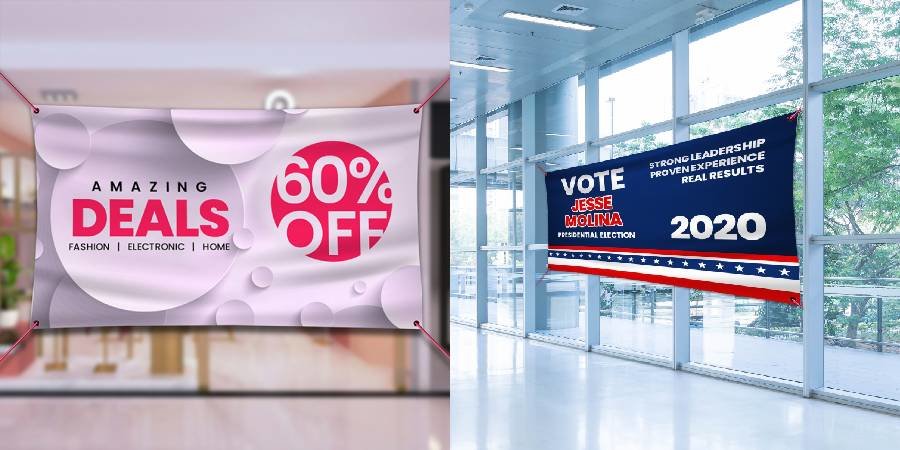
You need to know where your Banner will be placed so you can design it according to that. It is necessary to understand the context of your Banner to print and Create Your Banner with a design that can work in that particular situation otherwise it may not work for the intended area.
Where will it be hung? From how far will people see it? There is no one size fits all Banner Design, so blindly copying it from one Banner to another wouldn’t help your business grow.
Creative Banner Design Color Scheme
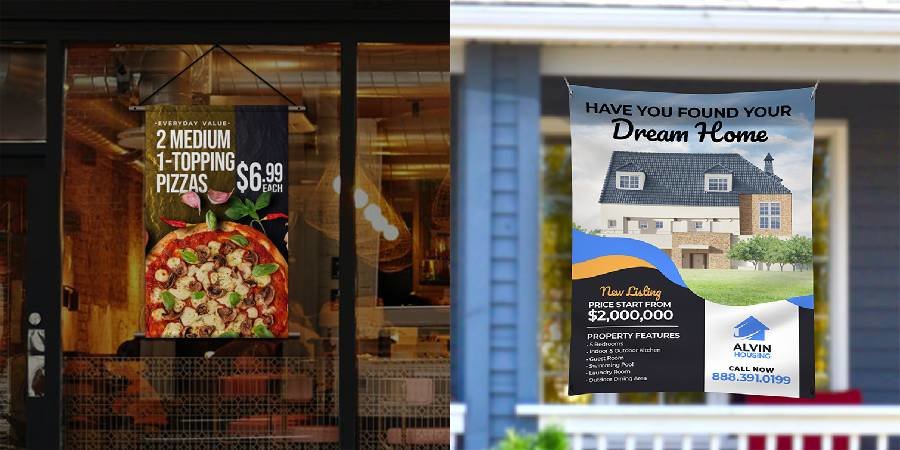
Bright Banners are great for attracting attention but too much color mixing can lead to your text or message getting lost. For a professional look, using lighter colors can do the trick, but that doesn’t mean your Banners should look drab. Use the right mix of elements to make it pop and stand out.
An important aspect to remember when it comes to the color of your Banner Design is to make sure to calibrate your file to CMYK color setting for maximum color fidelity. This is necessary because the computer and laptop monitors show colors in RGB (Red, Green, Blue), while printers show CMYK (Cyan, Magenta, Yellow, and Key color Black).
Also, look at color contrasting when using text as your primary design since clashing colors will make the text stand out more from the background and make it easily readable.
Use The Correct Images
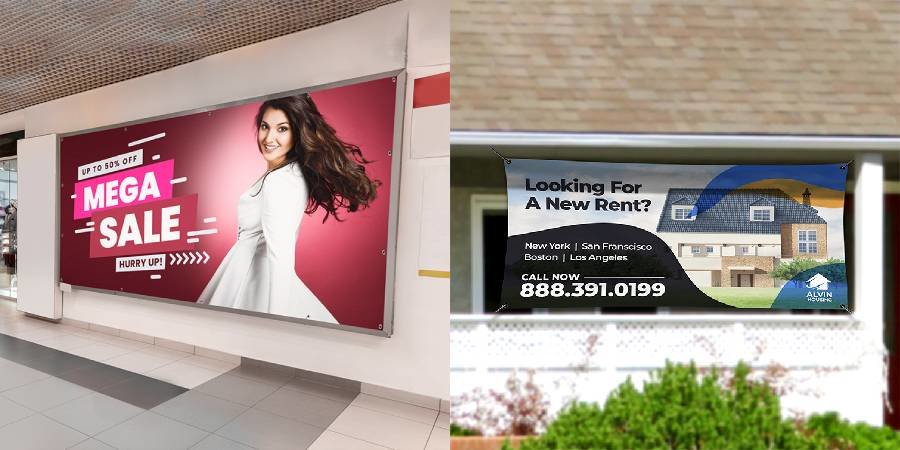
An image speaks a thousand words and this holds true for Personalized Banner Printing as well! People respond better to images instead of huge chunks of text as it helps deliver the message more visually. Using custom images is even better instead of stock images as it adds personalization and provides a way to show your actual products. Add high-resolution, vivid images to attract attention and reduce any blurring in the final print.
and reduce any blurring in the final print.
When it comes to picking the right resolution, keep in mind a minimum 150 PPI is best to choose for prints that will be viewed from a few feet away, while a minimum 300 PPI is recommended for Banners that will be viewed from several yards away.
Don’t Overload Information
Don’t try to overload your Custom Banner Design with a lot of information as it may get confusing. Use short, descriptive text, catchy headlines, and tag lines to get prospects interested. Don’t underestimate the power of space on a Banner, as the right design doesn’t need to be cluttered, it just needs to send the message in a simple way.
Keep Size In Mind
Banners are available to print in several sizes, so pick one based on your requirements. This means checking if people will be reading the Banner up close or from afar. The farther the people are from the Banner, the bigger the size needs to be. Though when in doubt, go with the bigger size as it can be viewed easily from anywhere, near or far.
Include A Call To Action
When you Design Your Own Banner, make sure to include a CTA so it is clear what your end goal for the customer is. Make sure the CTA is inviting and makes the reader take action, whether you are promoting your brand, announcing a sale or discounts, launching new products and services, and more.
Don’t Forget To Add Business Information To The Banner Design Online
Add all relevant ways for a prospect to contact you or reach your store. It is a must to add contact information such as telephone number, email id, website, and social media details. If you have space, you can even add a small map with directions to your place.
Stand Apart With Readable Fonts
Every business invests in printing Banners as they are an effective marketing tool. So what can you do to attract more attention from prospects? Pick a big, readable font size that can be easily seen from far and people don’t need to move closer or squint to understand what’s written.
Don’t pick a cursive font as they aren’t too easy to read, but make sure to pick a font that matches the message as each font has its own ‘personality’!
Layout Guidelines For Custom Banner Design Online
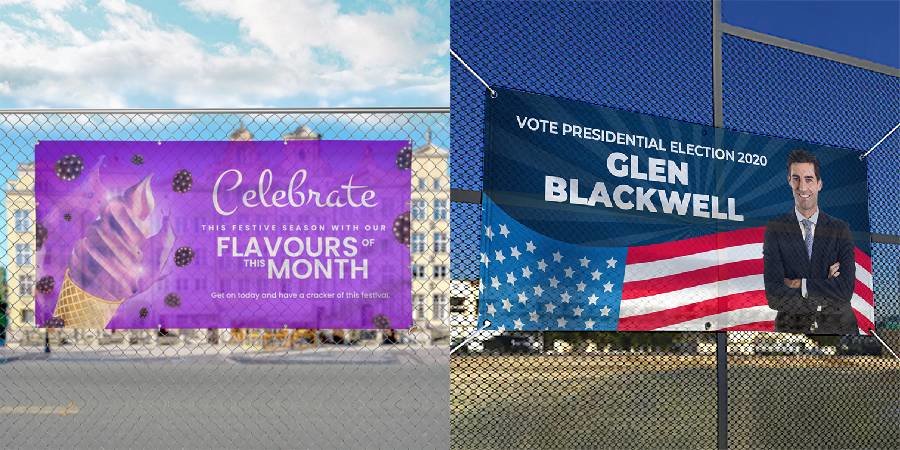
While designing any artwork you should make sure you follow a set of guidelines. Every printer has specific requirements for receiving the artwork and there are layout templates or guideline templates available for users to set their artwork correctly when you print your Banner Design Online.
Important aspects of the layout guideline:
Bleed Area: You can decide if you want your artwork to be full bleed or not. If it is supposed to be full bleed, the background/ artwork which is close to the cut-line should extend 0.0625” from all sides beyond the cut line to make the artwork full bleed.
Cut Line: This line determines the size of your finished product, and is where your artwork will be cut. So, make sure all the important elements such as text, logo, and images are not close to this line and fit inside properly.
Safety Line: The safety line alerts the designer that all the text, logo, and important information must be kept inside this line. Everything inside the safety line will be printed correctly and be visible on the final product.
Now that you have all the elements needed to Design Your Own Banner, make sure you consult the checklist and add what’s necessary. This will not just help you save time but also ensure your energy and money is spent on something worthwhile!
Need help in understanding all the different kinds of Banners? Read our blog to find out the difference between materials and use to pick a banner perfect for you.
 Signs
Signs