 Apparel
 Auto, Home & Tools
 Bags
Bags Business & Office Products
 Drinkware
 Food & Candy
 Outdoor & Leisure
 Stationery
 Technology
 Toys & Novelties
 Wellness and Safety
 Writing
 Bookmarks
 Booklets
 Brochures
 Business Cards
 Custom Calendars
 Door Hangers
 Envelopes
 Event Tickets
 Flyers
 Greeting Cards
 Hang Tags
 Invitation Cards
 Labels
 Letterheads
 Magnets
 Menus
Menus NCR Forms
 Postcards
 Presentation Folders
 Rack Cards
 Sales Sheets
 Stickers
 Trading Cards
 Table Tents
 Banners
 Canvas
 Decals
 Event Tents
 Flags
Flags Posters
 Reflective Signs
 Signs
Signs Table Covers
 Tension Fabric Displays
 Trade Show Booths




How to Make an Invitation Card on your computer
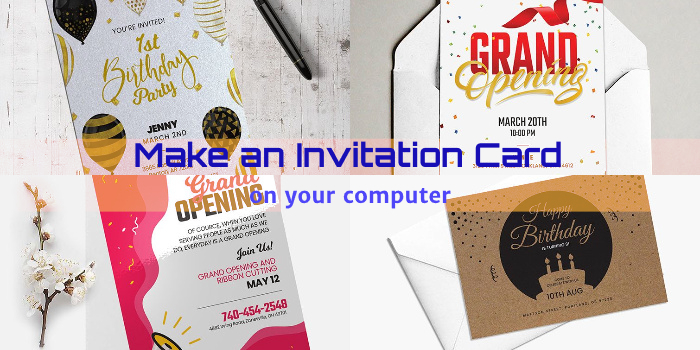
Looking for an easy and affordable way to print professional invitation cards for your events? This step-by-step guide will help you design and print your invitation cards from the comfort of your office or home. Worried that you might make a mistake? Do not worry! PrintMagic.com offers you a three-step checklist even before printing! Isn’t that easy?
How to Design a Professional Invitation Card
- Start by selecting the software you will use to design your invitation cards. Adobe Illustrator, Adobe Photoshop, and Adobe InDesign are some of the most popular programs to design invitation cards.
- Select the size of your invitation cards.
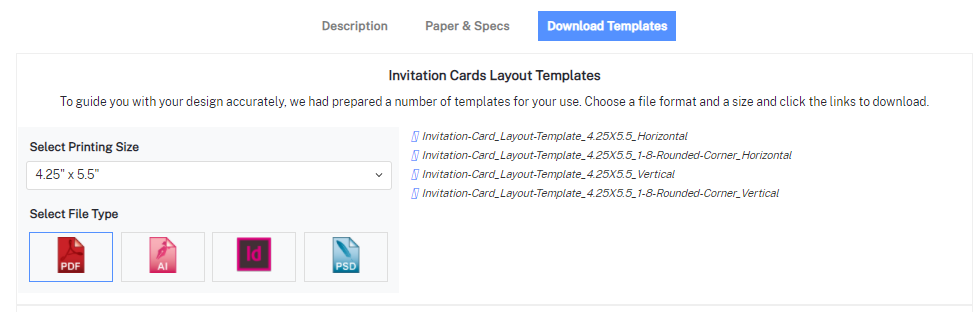
- Download the setup file template from PrintMagic.com to help you create your design accurately.
How to Print an Invitation Card at PrintMagic.com
- Start by checking out our invitation card printing pricing here.
- Select from the 4 types – Invitation Cards, Silk Invitation Cards, Pearl Metallic Invitation Cards, and Brown Kraft Invitation Cards.
- Input your specifications (quantity, size, paper, coating, and folding) and get a live price quote from our calculator. At any time if you have a question, call 888.391.0199 or click the LiveChat link at the side of the page. We offer 2-4 business days printing at no extra charge. If you are in a rush, you can choose 1-2 day printing for a small rush fee.
- After successful checkout, we will send an email with additional instructions and links to upload your files.
- Once we receive the files, we will:
- Proof every file your provide
- Send you a Virtual Proof for approval
- Print only final approved files


 Signs
Signs