 Apparel
 Auto, Home & Tools
 Bags
Bags Business & Office Products
 Drinkware
 Food & Candy
 Outdoor & Leisure
 Stationery
 Technology
 Toys & Novelties
 Wellness and Safety
 Writing
 Bookmarks
 Booklets
 Brochures
 Business Cards
 Custom Calendars
 Door Hangers
 Envelopes
 Event Tickets
 Flyers
 Greeting Cards
 Hang Tags
 Invitation Cards
 Labels
 Letterheads
 Magnets
 Menus
Menus NCR Forms
 Postcards
 Presentation Folders
 Rack Cards
 Sales Sheets
 Stickers
 Trading Cards
 Table Tents
 Banners
 Canvas
 Decals
 Event Tents
 Flags
Flags Posters
 Reflective Signs
 Signs
Signs Table Covers
 Tension Fabric Displays
 Trade Show Booths




- Available in gloss or matte finishes
- The durable coating protects the design from fading
- Ample space for every detail in sizes
- Folding options to showcase your new products and information
Free Layout Guideline for 3.375" x 2.125" Business Card
- File Type
- SizeClear
- ShapeClear
- CornersClear
- Rounded Corner RadiusClear
3.375" x 2.125" Business Cards Print Layout Templates
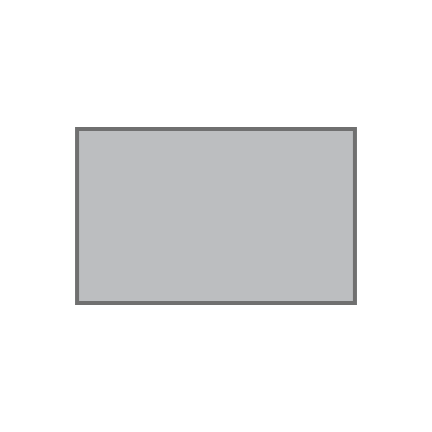
Free Print Template for Business Card Printing
Create amazing print products by using PrintMagic’s Free Business Card templates to add your company details and create an instantly recognizable item that resonates with your brand.
Here, you can Download the exact size of Business Card Printable Template for your brand in PDF and create your print ready file.
We have Download Layout templates in PDF for easy customization options. Print creative Business Cards in different size options such as 2" x 2" Business Card, 3.5" x 2" Business Card, 3.5" x 1.25" Business Card, and more with Horizontal Rectangle orientation.
Get Business Cards printing in different shape options like Horizontal Leaf , Horizontal All Rounded Corners to create products that stand out from the competition and look amazing!
They are used in several industries rampantly such as Business, Photography, Automotive, and many more.
Simply create your own Horizontal Rectangle Business Card by following the instructions mentioned in the graphic design shared on this page so your Horizontal Rectangle Business Card turns out to be what you expected.
Print Business Cards in Premium Gloss to get a beautiful and professional look for your final product.
Design tips for making Horizontal Rectangle Business Cards
- Whether you are an experienced person or just starting out, if you follow the instructions mentioned below before making your Business Card, you’re going to get brilliant results!
- Don’t try to overdo the design. There are chances that what you see on your UHD+ Screen may not be what you get on a Standard Gloss, Premium Gloss Paper Stock. Make sure you choose the standard CMYK color format as prescribed by the print industry.
- Try unusual dimensions and designs on specific paper stocks that suit it. Choose the right font and font size as the image size you see on your Display would be a highly zoomed-in image. So, make sure apt readability is accounted for.
- Proofread and check the details as well as content at least twice. You wouldn’t like it if you mistakenly put your competitor’s phone number!
How to use the Business Card Template Designs:
- Download our Free Business Card Layout Template in the desired size.
- Customize the design using the Layout guidelines of the template by maintaining the safety, cut, and bleed margins to ensure your product is printed perfectly.
- Depending on your requirements follow the 0.125” bleed margins for full bleed designs.
Choose our expert designing services to create artwork for 3.375" x 2.125" Business Card in PDF format, along with the logo if needed.
Speak to us over the phone if you need any help with designing and printing your Custom Business Cards in PDF.
 Signs
Signs